 GridPaw
How to Play Kakuro (Cross Sums)
Kakuro (also called Cross Sums) is a Japanese logic puzzle often described as
a mathematical crossword. Every horizontal or vertical run of white cells must
add up to the clue sitting at its start, and no digit may repeat
inside a run. It looks a bit like Sudoku, but instead of placement
rules you reason with sums and number combinations, e.g. a two-cell run of
17 can only be 8 + 9. GridPaw Kakuro is free, runs
entirely in your browser, and adds two twists: 4 guided tutorial
lessons and a paw-print fog mode (from the first
Medium level) that hides part of the board until you've solved the visible
block.
Your First Puzzle
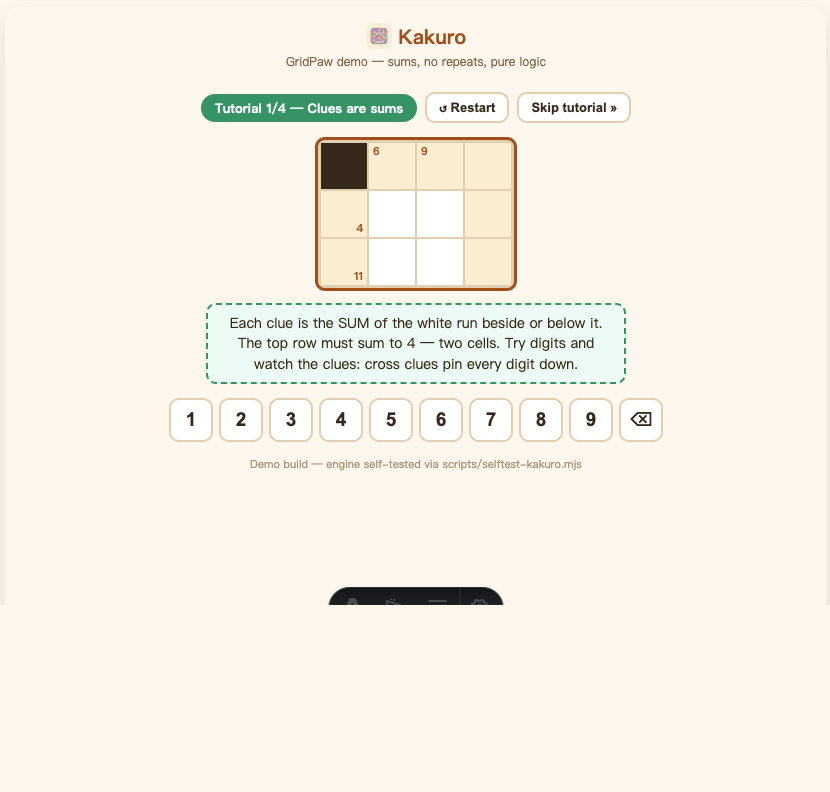
- Open the game. Go to gridpaw.com/kakuro. You start on Tutorial 1/4 — "Clues are sums", a tiny guided board. Solve it and the next lesson auto-loads (there is no win popup in the tutorials, just a checkmark message).
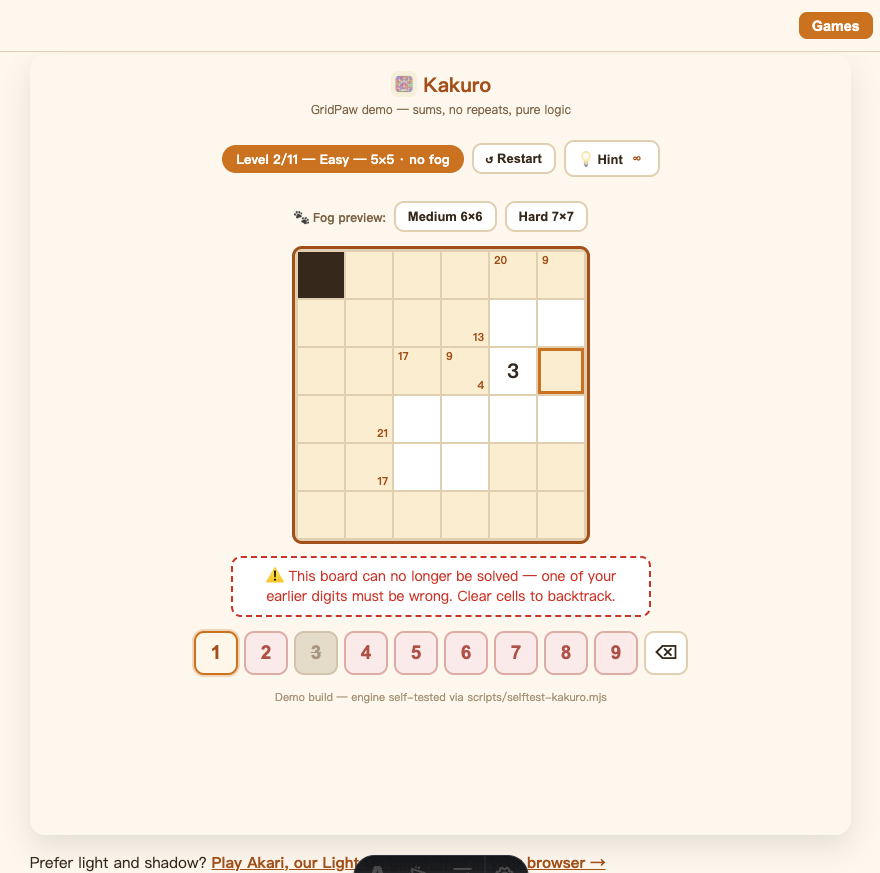
- Select a white cell. Click or tap it. It gets an orange outline. The keypad below the board (1–9) now shows you which digits are legal in that cell: amber-ringed digits are OK, struck-through digits are already used elsewhere in the run, and digits on a pink background would push the run past its clue sum.
- Fill the digit. Tap a key (or press 1–9 on your keyboard). Each cell belongs to two runs (one across and one down) and both must eventually hit their clue sums without repeats. Tap the 🗑-style ⌫ key (or Backspace / Delete / 0) to clear the selected cell.
- Finish the board. The moment every white cell is filled correctly, the "Solved!" popup appears. The tutorial lessons teach you the clues; the four lessons cover: sums, no-repeats, extreme clues (17 = 8+9), and a bigger combined board.
Optional: during the tutorials you can press "Skip tutorial »" to jump straight into the campaign.
Every Button on the Screen
| Button | What it does |
|---|---|
| ↺ Restart | Discards the current puzzle and generates a fresh one at the same level (same difficulty/fog layout, different board). |
| Skip tutorial » | Only visible during the 4 tutorial lessons: jumps straight to Level 1 of the campaign. |
💡 Hint (badge shows 3) | Highlights the single best cell to fill next and tells you the digit, e.g. "Fill 8 in row 2, col 3 — the green key." 3 free hints per level, refills on every new level. Not available during the tutorials. |
| Medium 6×6 / Hard 7×7 | Quick-jump buttons (shown once past the tutorials) that land you on the first fog level of that difficulty. Handy for previewing fog mode. |
| 🔢 Keypad 1–9 + ⌫ | Digit entry for the selected cell; ⌫ clears it. |
| Next level → (after winning) | Moves to the next puzzle; past the campaign it starts the endless daily rotation. |
| 📋 Copy / 𝕏 Share / 👽 Reddit (after winning) | Copy a text summary or open the share card with Copy Image / Save / post options. |
Hint: after placing a digit the selection automatically jumps to the next empty cell, so you can flow through the board without re-clicking.
Fog Mode: The GridPaw Twist
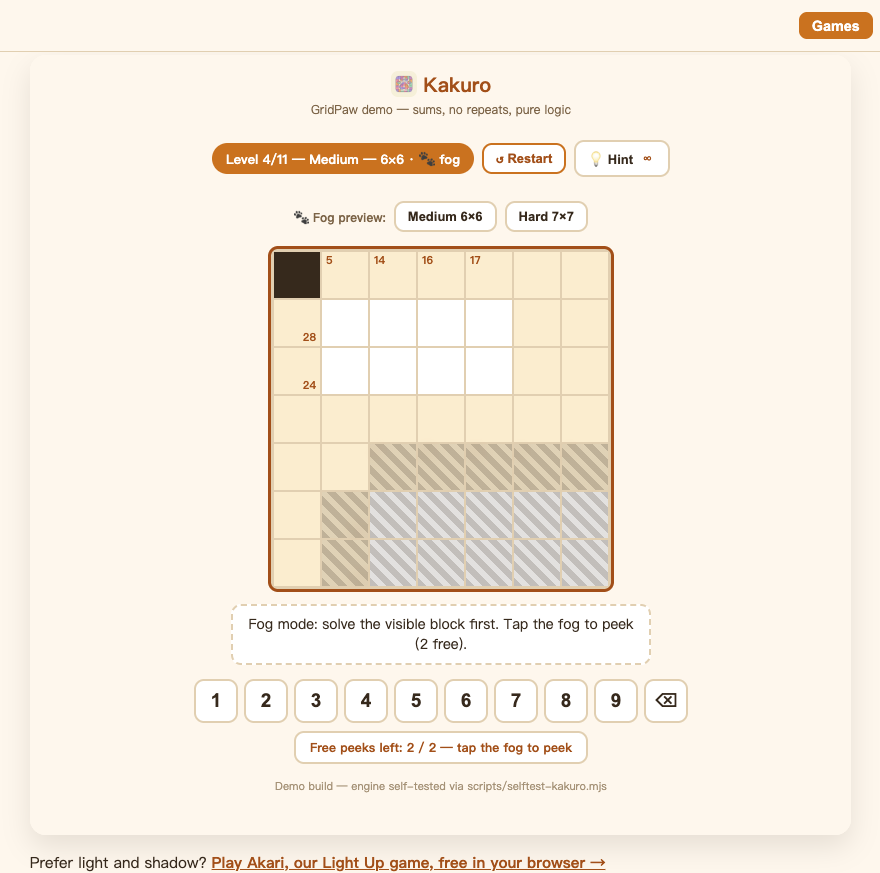
From the first Medium level (campaign level 4) the board is split into two blocks and the far block hides under a paw-print fog:
- Solve the visible block first. Once every run in the visible block sums correctly, the fog lifts ("Fog lifted!") and the far side is revealed. The blocks never share a run, so the reveal can never trap you. Every fog board is verified to have exactly one solution.
- Tap the fog to peek. Each fog level gives you 2 free peeks: tapping a fogged cell reveals it (and the clue numbers of its runs). The peek bar below the board shows
Free peeks left: N / 2. - Out of peeks? A small popup offers more (a "Watch ad" option or "Cat coins" mode). In the current demo build this is a mock-up and nothing is actually charged. Close it with ✕ and keep solving by logic.
There is no fog in the Easy levels, and the Hard boards use a denser wall layout instead of a bigger grid.
Levels, Progress & Daily Puzzles
The journey is: 4 tutorials → 11-level campaign → endless daily puzzles.
| Section | Board | Fog? |
|---|---|---|
| Tutorial 1–4 | Tiny guided boards (3×4 up to 5×5) | No |
| Easy: Levels 1–3 | 5×5 | No: "Easy has no fog" |
| Medium: Levels 4–7 | 6×6 | Yes: fog starts here |
| Hard: Levels 8–11 | 7×7 | Yes |
| Daily (after level 11) | Alternates 6×6 / 7×7 | Yes |
- The chip above the board says
Tutorial 1/4 — <lesson>, thenLevel N/11 — Easy/Medium/Hard — S×S, andDailyonce the campaign is done. - Progress saves automatically in your browser (your current campaign level). Close the tab and come back later; you resume where you left off.
- Daily puzzles are endless and the same for everyone on the same day. The board is seeded by the date and alternates Medium and Hard. Perfect for comparing times with friends.
Winning & Sharing
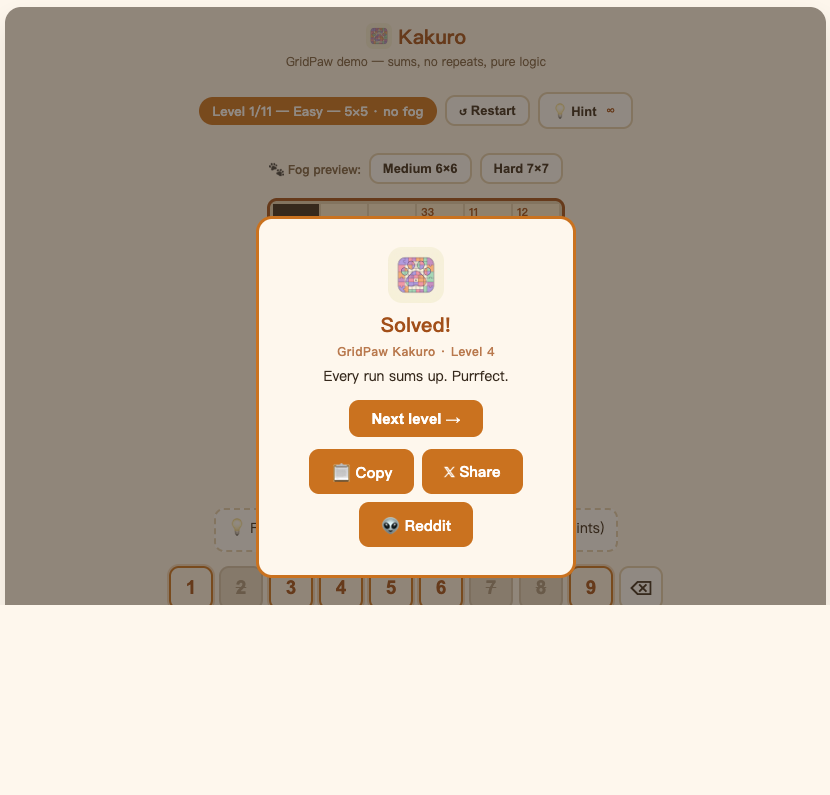
When the board is fully correct the "Solved!" overlay appears (or "Daily solved!" for a daily board). Finishing all 11 campaign levels shows "Campaign complete! Endless daily puzzles unlocked."
- Next level →: continues the campaign or starts the next daily puzzle.
- 📋 Copy copies a one-line bragging summary.
- 𝕏 Share / 👽 Reddit: open a "Your board" share card with your finished grid: 📋 Copy Image, ⬇️ Save as PNG, or post directly to 𝕏 / Reddit.
Frequently Asked Questions
Do I need an account to play Kakuro?
No. Everything is playable without signing in; progress is saved in your browser.
What do the two small numbers in a black cell mean?
The number in the top-left (next to the wall's corner) is the clue for the run going down; the number bottom-right is the clue for the run going right. Tap any clue cell and the run it controls lights up, so you always know which cells a number governs.
Why won't my digit stay?
It was wrong for one of two reasons: the digit is already used in that run (flashes red, "no repeats!") or it would overflow the run's clue sum (flashes orange). The game never keeps an invalid digit — and if your board becomes impossible to finish, it tells you ("one of your earlier digits must be wrong").
What does the keypad coloring mean?
Struck-through = duplicate in this cell's runs; pink background = larger than the remaining sum; amber ring = legal. It's a live hint system that teaches the rules as you play.
How many hints do I get?
3 per level, shown on the hint button badge. They refill on the next level. Peek allowances (2 per fog level) are separate from hints.
Is there a timer or lives?
No. Kakuro on GridPaw has no lives and no countdown — you can take as long as you like, and even step away; your level is saved.
Is fog mode fair?
Yes — fog blocks never share a run, and every fog board is generated with exactly one solution, so lifting the fog never breaks your progress.